Forwarder Manager 00.001.005 adds a ProsperoEden game picker for PS5
Forwarder Manager 00.001.005 lets PS5 users pick ProsperoEden games from a list, with covers as tile icons.
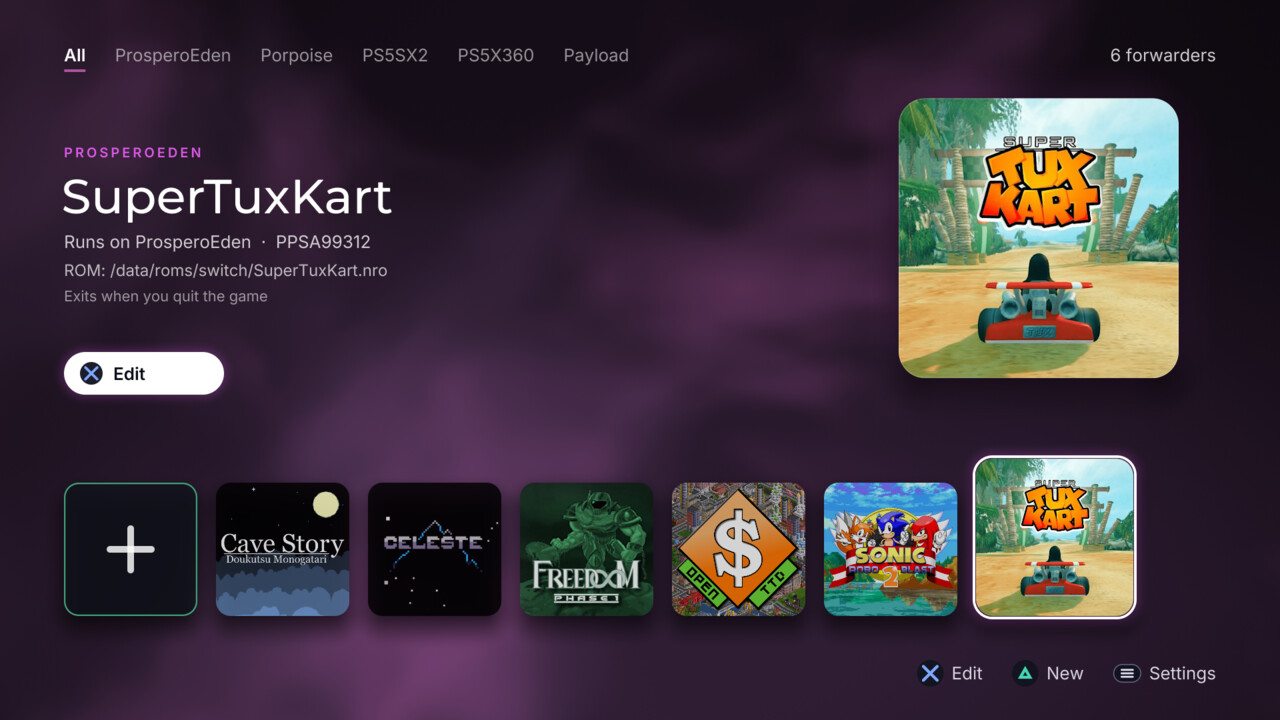
Forwarder Manager 00.001.005 is out. It’s a native PS5 homebrew app that creates and edits forwarders, the home-screen tiles that launch another installed app such as an emulator. This release adds a game picker for ProsperoEden, the app used to play Switch games on the console.
You no longer have to type a ROM path. The Game row lists games from ProsperoEden’s game files folder with their cached titles and covers. Picking one fills an empty display name and uses the cover as the tile icon. The picker reads game_files from /data/prosperoeden/config/prosperoeden.json and recognizes .nsp, .xci, .nsz and .xcz. Compressed games need a ProsperoEden version that supports them.
Games in their own folders now keep the folder in their launch arguments, as in Mario Kart 8 Deluxe/Mario Kart 8 Deluxe.nsp. To repair a tile made with a missing folder, edit it, select the game again and save. The notes also rename the SwanStationPS5 target to its full name. Existing tiles are unchanged.
You need a jailbroken PS5 with elfldr listening on port 9021. The notes don’t say what elfldr is. You also need ShadowMountPlus, which registers the app and its forwarders.
- Unzip
PPSA99930.zip. - Copy the
PPSA99930folder to/data/homebrew/, replacing the old one. - Your forwarders are kept.