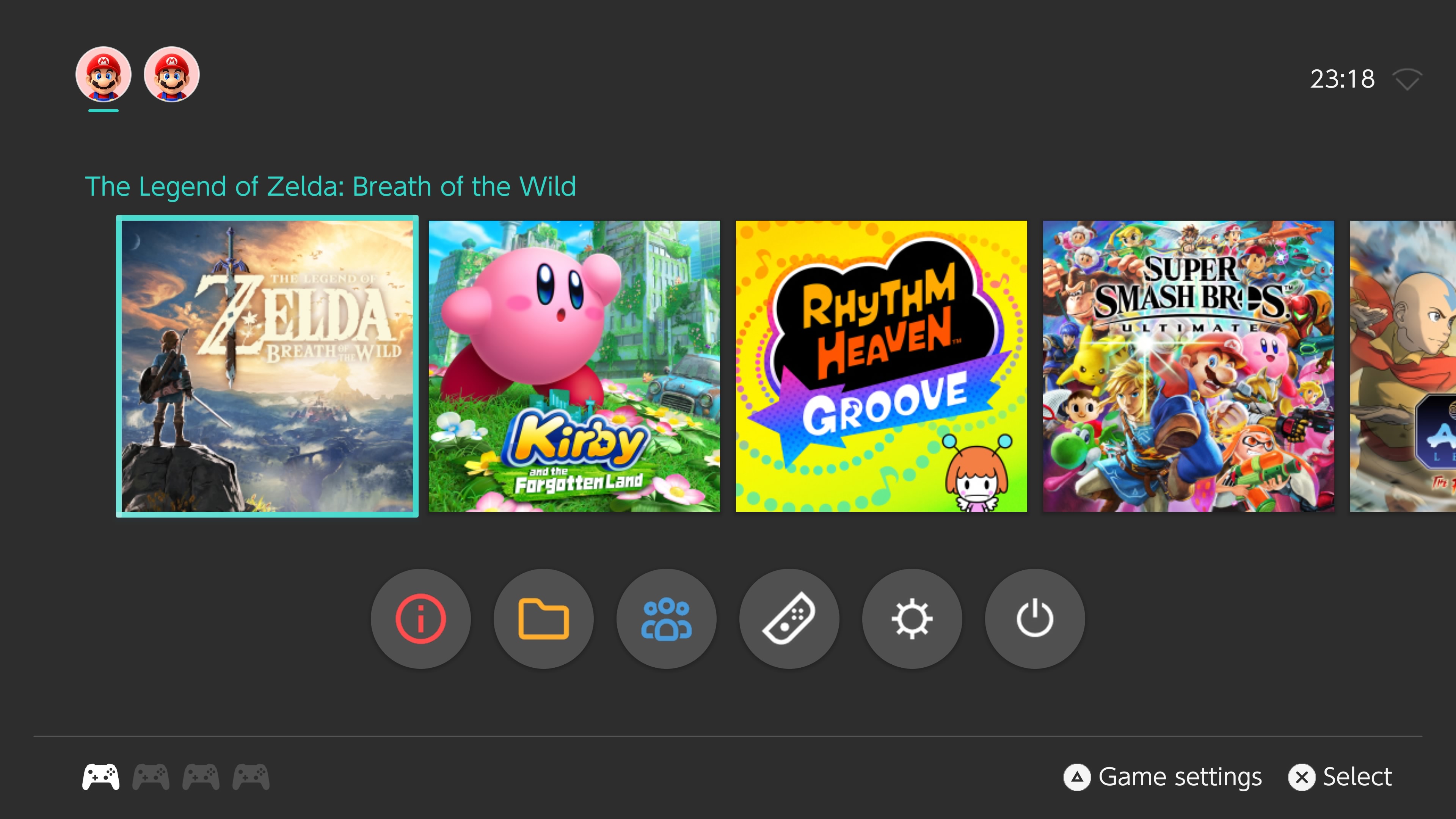
ForgeNX v6.000.000 brings a Switch-style launcher to PS5
ForgeNX v6.000.000, a Switch emulator for PS5 built on ProsperoEden, adds a redesigned launcher and themes. It is still a beta.
ForgeNX v6.000.000 is out. It’s a Nintendo Switch emulator for PS5, built on ProsperoEden, the unofficial PS5 port of Eden. The big change is a redesigned, Switch-inspired launcher with customizable themes and game library navigation.
KernelForgeX made the Switch UI changes. The original ProsperoEden port and its dependencies belong to their own developers. The project is GPL-3.0 and isn’t endorsed by Nintendo, Sony, Eden, or BlackBearReloaded.
The README calls this version 06.000.000 and says it’s based on ProsperoEden v1.005.000. The team tested it on PS5 hardware for launcher navigation, game discovery, and game launching. This edition has its own title ID, PPSA99186, separate from the original ProsperoEden title PPSA99008. Both apps use /data/prosperoeden/ for shared data, so don’t run them at the same time.
The README lists several caveats. It says fresh install, update, and rollback still need final release acceptance testing. Automatic in-app update checks are off, and future releases will come through ProsperoStore once the downloadable listing is approved. Compatibility varies by game. Two known issues carry over from upstream: controller shortcuts sometimes stop working across consecutive game sessions, and frame-generation method selection misbehaves when a required backend is missing. Lossless Scaling and MihawkGen aren’t fully tested on PS5 yet.
How to try it:
- Back up your configs and saves first. The README asks for this before any version switch.
- Download the release ZIP from the release page.
- Optional: check the ZIP with
gh attestation verify <ZIP> -R KernelForgeLabs/ProsperoEden-Switch-UIusing the GitHub CLI. This confirms a CI build from this fork, not a binary from the upstream repo. - Read the beta install and rollback test plan (docs/BETA_INSTALL_AND_ROLLBACK.md in the repo) before you install. The README points to the docs for the install steps.