Celosia recompiles Shadow of the Colossus for macOS, with a Vita build in progress
Celosia is a static recompilation of PS2 Shadow of the Colossus for Apple Silicon Macs, with a PS Vita build that still needs work.
PS2 → Mac, PS Vita · Recompilation
Celosia is a GitHub project that ports Shadow of the Colossus, the PS2 game, to Apple Silicon Macs and the PS Vita. It doesn’t run the game in an emulator. The game’s MIPS code is translated into C++ ahead of time with PS2Recomp, then compiled natively. The repo, by HenryKun55, had 29 stars when we looked.
The game is drawn by a native renderer: Metal on the Mac, OpenGL ES on the Vita. The parts of the PS2 that the game talks to, such as DMA, the IOP and the SPU2 sound chip, are rewritten as host code.
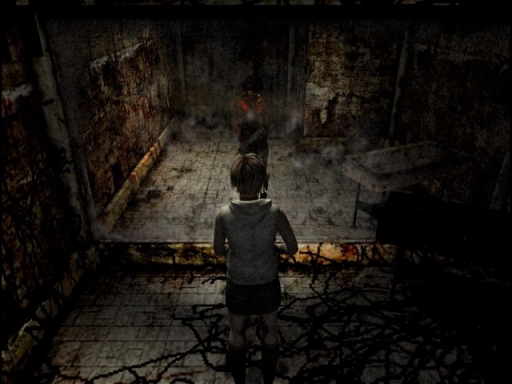
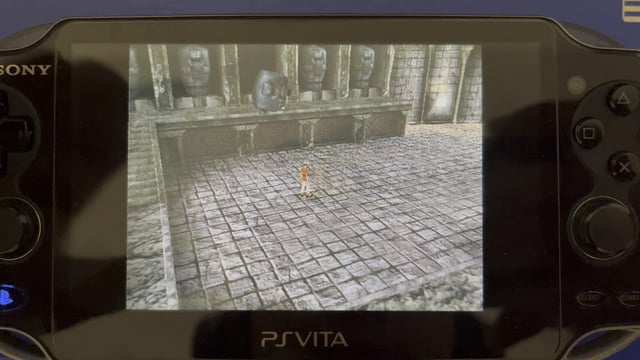
The Mac build is the further along one. According to the README, it boots, plays the intro, gets through the title screen and New Game, and runs gameplay. The author reports 60 fps at 1536×1344 on an M4 Pro. The Vita build boots and runs, but the 18-25 fps figure comes from the intro running in Vita3K, an emulator, so it is not a hardware test. The README lists speed and fidelity as still in progress. A decompilation has also started, with some software doubles rewritten.
You need an Apple Silicon Mac, Xcode Command Line Tools, your own disc image of Shadow of the Colossus (USA), and about 10 GB of free space. The first build also needs internet, because CMake downloads raylib, imgui and sse2neon.
- Install the tools:
brew install cmake ninja pkg-config ffmpeg python - Clone the repo:
git clone git@github.com:HenryKun55/celosia.git, thencd celosia - Run setup with your image:
./celosia setup --iso "/path/to/Shadow of the Colossus (USA).iso" - Start the game:
./celosia run
Setup takes a while. It compiles the runtime and around 16k recompiled functions, and it opens the game window a few times while it captures each module. A gamepad works out of the box. F1 opens the player menu, F10 opens the renderer panel on the Mac, and F12 opens the developer debugger. The README doesn’t say how to get the Vita build onto a real console, so treat it as a source build for now.
The Vita build is the second target, and its speed and fidelity are still in progress.