AnkiNX brings the Anki flashcard app to Switch as a native homebrew port
AnkiNX is a native Switch homebrew port of the Anki flashcard app, with reviews and AnkiWeb sync on the console.
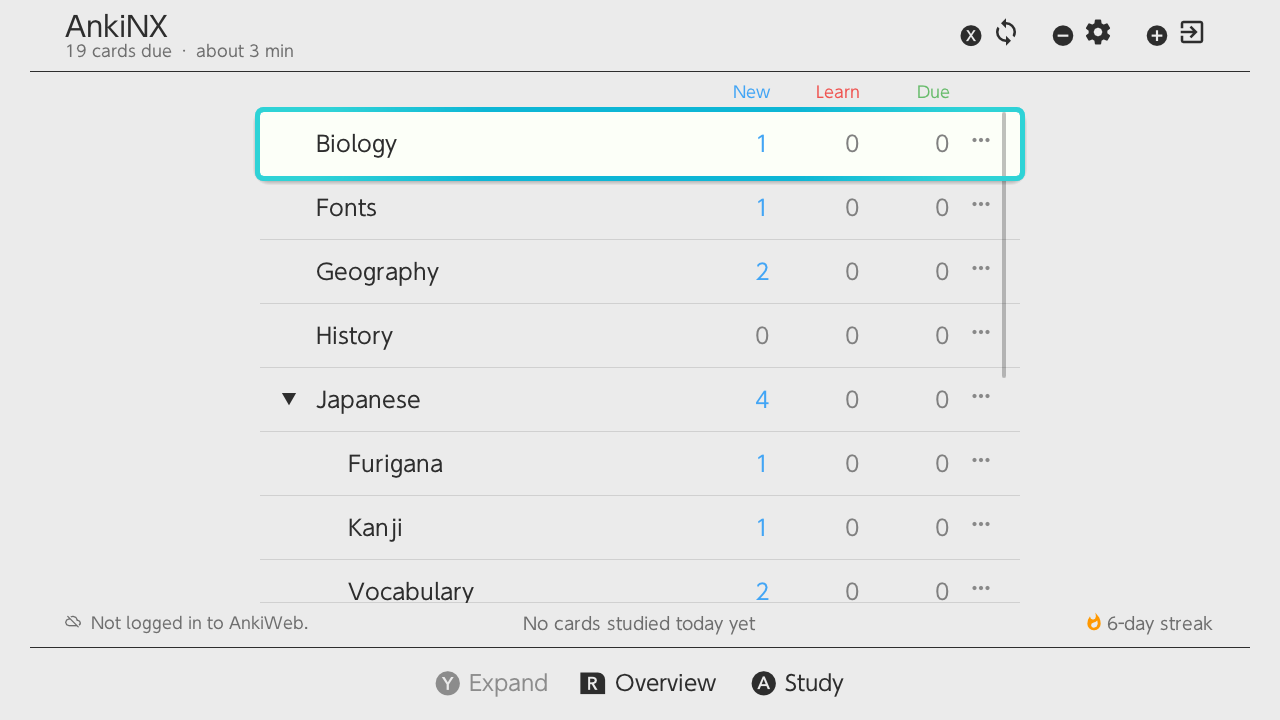
AnkiNX is a native homebrew port of Anki, the flashcard app that uses spaced repetition. User lukeh posted it on GBAtemp on October 19. Anki’s own backend runs on the Switch, so scheduling (FSRS or SM-2), your cards and AnkiWeb sync work as they do in Anki desktop. The interface is built for buttons and touch.
You can review with answer buttons, undo, flags, bury and suspend. Cards show HTML, images, audio, maths, template JavaScript, furigana and Image Occlusion. Buttons are rebindable, and a single sideways Joy-Con works.
Adding and editing cards is not in the app. Make cards in Anki desktop, sync them through AnkiWeb, then review on the Switch. Your reviews sync back the same way.
How to try it:
- Copy AnkiNX.nro to /switch/ on your SD card.
- Press − to open Settings, go to Account & sync, log in to AnkiWeb, then press X to sync.
- Choose a deck and press A to study.
No AnkiWeb account? Copy collection.anki2 and the collection.media folder from your Anki profile folder to /switch/ankinx/ instead. The README covers the details.
The thread had no replies when I wrote this, so there are no user reports yet on speed or sync.