Alien Resurrection: Recompiled v0.1.8 brings a fan port to macOS, Windows and Linux
Alien Resurrection: Recompiled v0.1.8 is out for macOS, Windows and Linux, with widescreen, 60 fps and mouse controls.
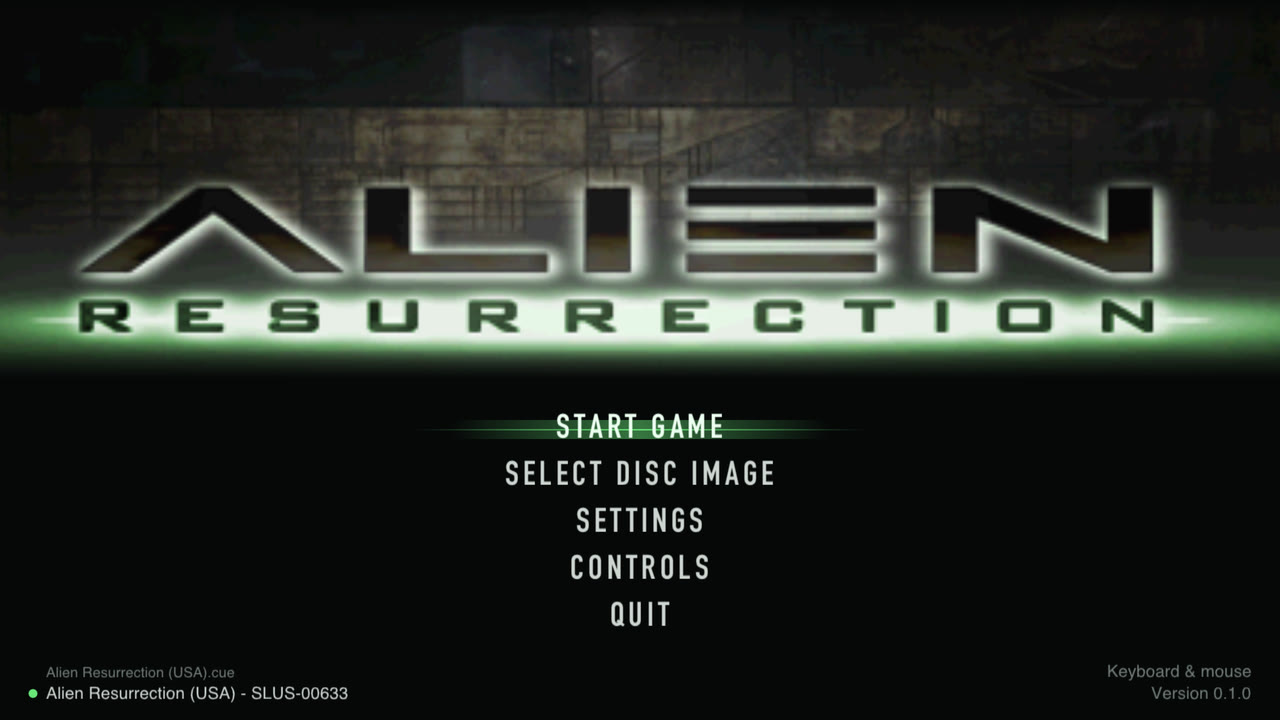
Alien Resurrection: Recompiled, a fan port of the PlayStation game Alien Resurrection, has a new release: v0.1.8 for macOS, Windows and Linux. The project repository runs the game natively on desktop, with widescreen, higher resolution, a steady 60 fps and mouse and keyboard controls.
You need your own copy of the game. The repo and releases contain no game data or code. You point the app at a disc image of the USA release (SLUS-00633), a .cue sheet with its .bin tracks.
The only change listed for this version is a fix to a frame cap during section loads (PR #20). The release notes say the game’s code is read from your disc and run by the port’s interpreter. The README describes static recompilation of the MIPS code. The sources don’t explain how those two fit together.
How to try it
- Unpack the package for your system and run AlienResurrection.
- On macOS, open System Settings > Privacy & Security and choose Open Anyway. On Windows, pick More info > Run anyway if SmartScreen warns you.
- Choose Select disc image and pick
Alien Resurrection (USA).cue. - Click Start game. F2 opens settings, F5 quick saves and F9 loads the save.
Windows needs a Vulkan or Direct3D 12 GPU, macOS needs 11 or later, and Linux needs glibc 2.35 or newer plus a Vulkan driver. If the game won’t start, update your graphics drivers.